
Within the Inner Palace
Updated: October 14, 2026
A dynamic AI court-simulation work that connects LLMs via the SiliconFlow API, enabling free-form dialogue and dynamic storylines.
About the Work
You play as the daughter of a former dynasty official who enters the palace as an imperial consort. Through AI-enhanced free-form dialogue, you meet a wide cast of characters and make choices amid imperial favor, family ties, relationships, and court intrigue. You can follow the order of the inner palace — or break the old rules and head toward an entirely different ending.
Within the Inner Palace (后宫浮生录) combines a traditional text-based work with large language models: the AI is not only used for chat, it also drives dynamic storylines, so every playthrough brings different people and events — a court life that is truly your own. The work supports both built-in platform AI and user-connected APIs; the steps below use the Xingxia edition to walk through connecting via SiliconFlow.
1. Sign Up and Create an API Key
-
Open SiliconFlow and sign up / log in.
-
Go to the API Keys page and click "Create API Key".
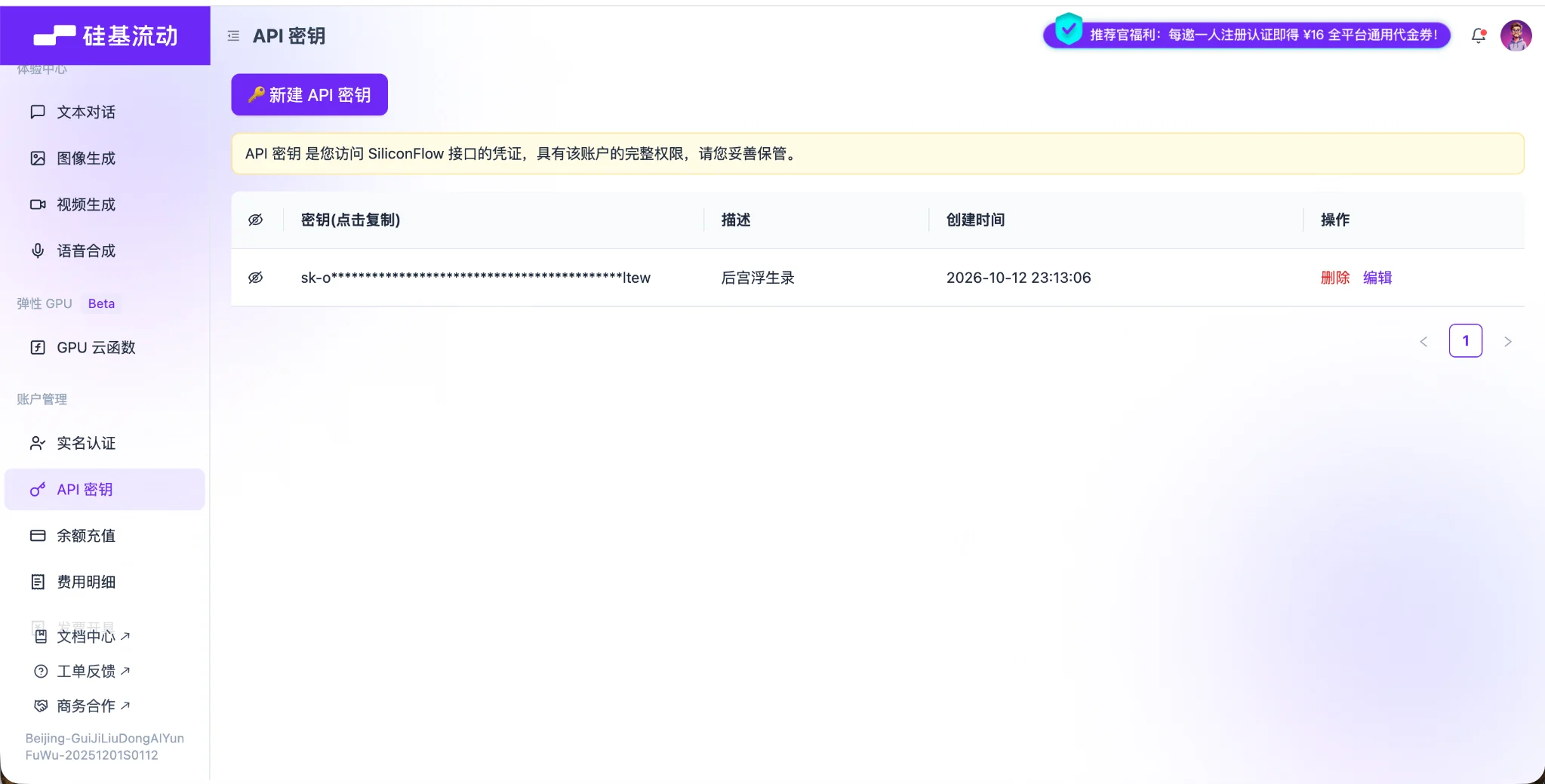
- Enter a key name and confirm. Copy the newly generated API Key and keep it safe.
2. Connect Inside the Work
- Open the cover of Within the Inner Palace and tap "AI API Settings".

-
Go to "My API". SiliconFlow is the first-priority default API — no dropdown switching needed.
-
Paste the API Key you just copied. Check the model name and endpoint URL, then tap "Save & Test".
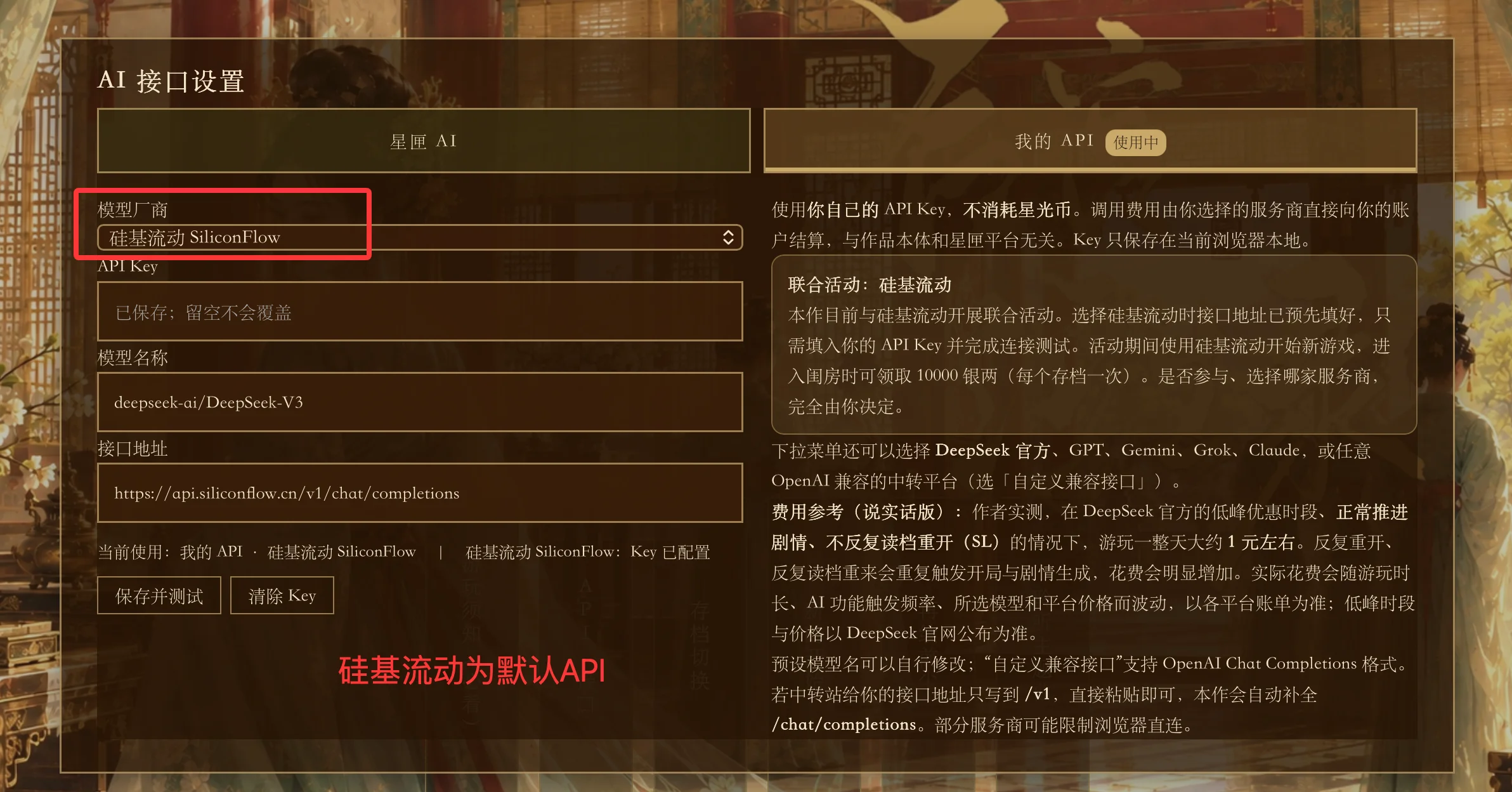
The "My API" configuration screen inside the work:
- The endpoint is
https://api.siliconflow.cn/v1/chat/completions(the full API URL is already provided in the work — no extra input needed) - The model name depends on the work's current presets and the models available on SiliconFlow; connecting the API only requires entering your Key
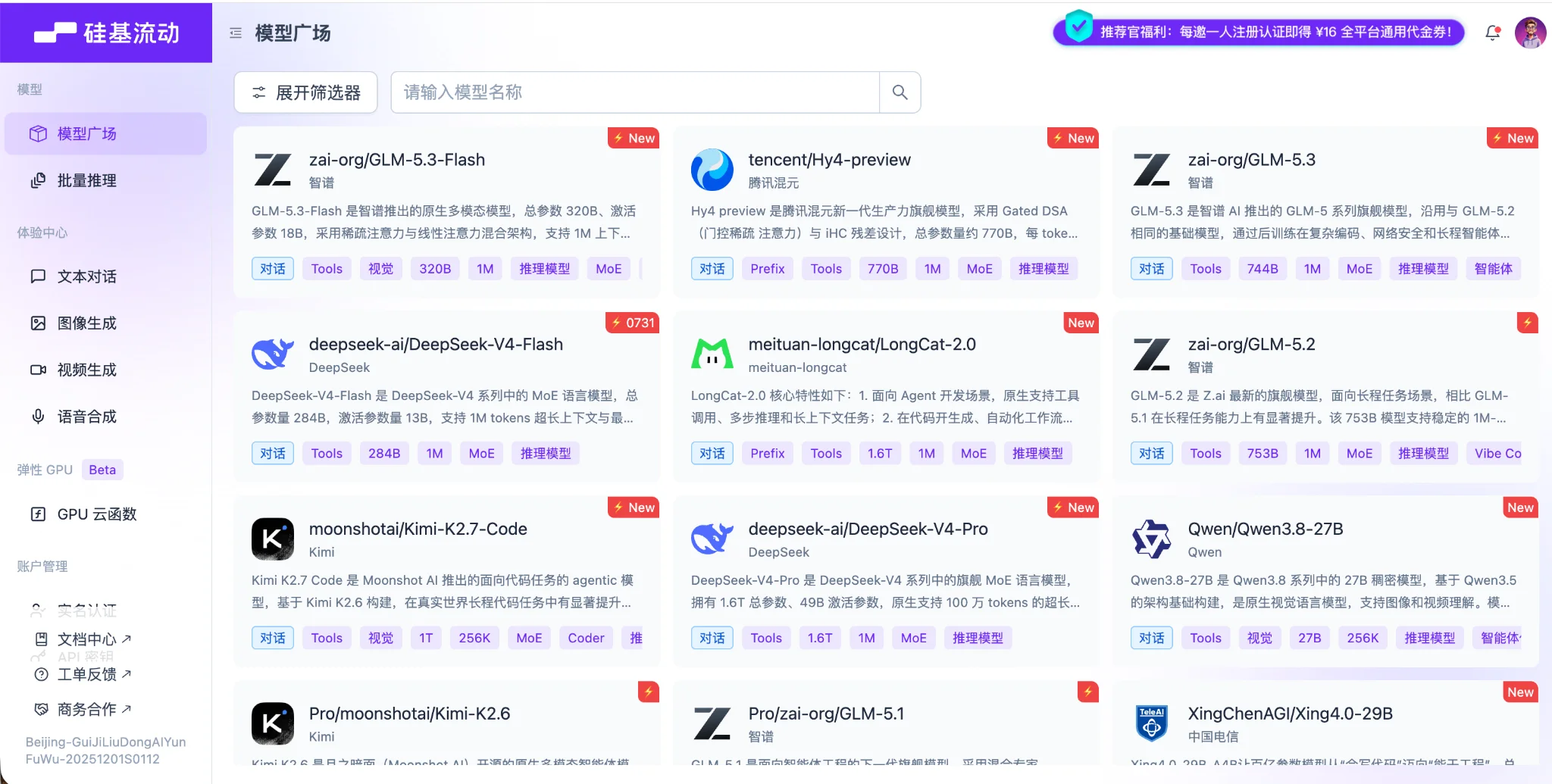
- You can check available models and copy full model IDs on Models, then fill them into the work's "Model Name" field. The default model of the work is
deepseek-ai/DeepSeek-V3
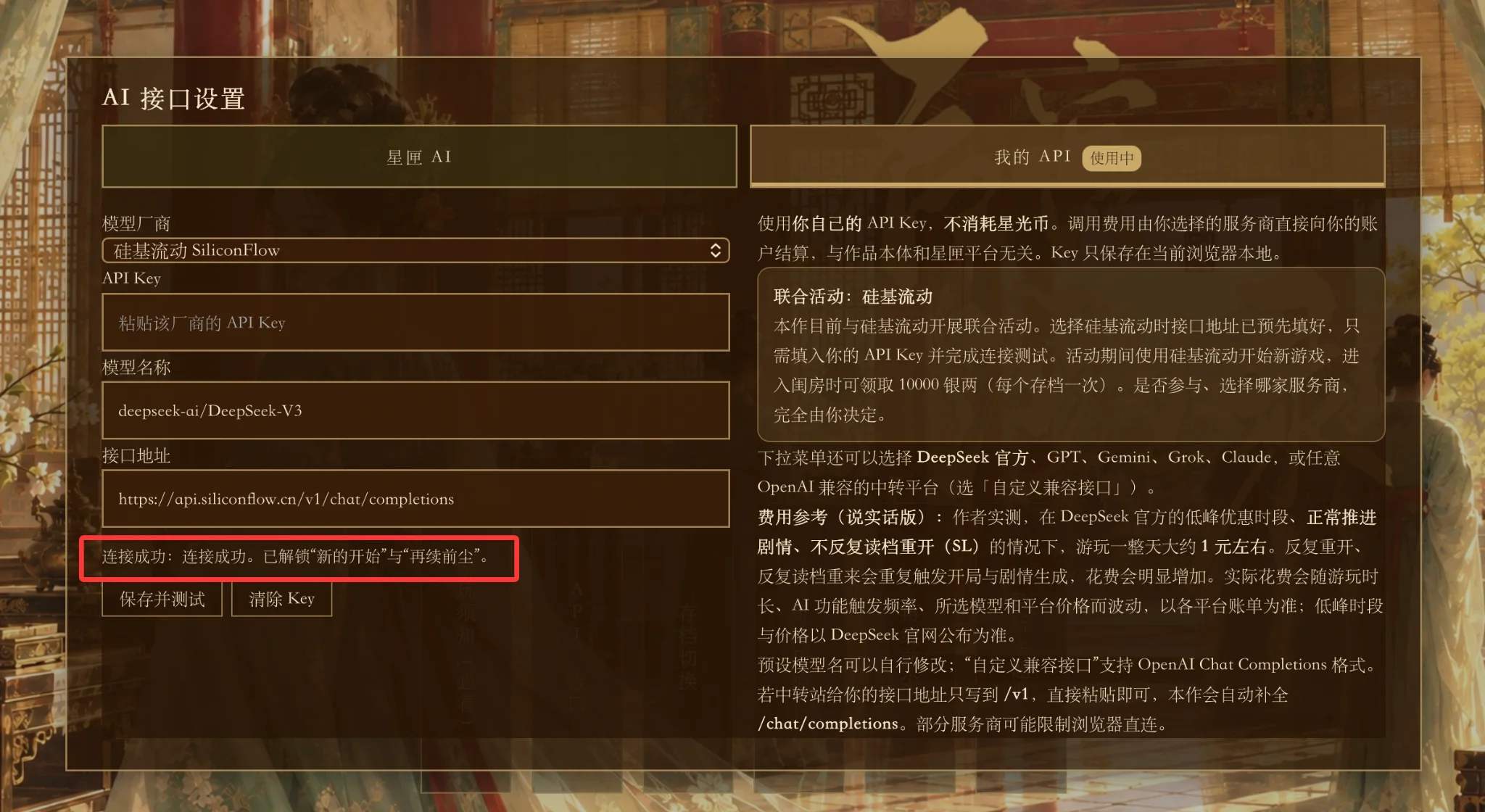
- Once you see the connection success prompt, you can start playing. If the connection fails, check your API Key, model availability, account balance, and network.
3. Joint Event: Claim 10,000 Taels of Silver on a New Save
During the event period, start a new playthrough with the SiliconFlow API and claim 10,000 taels of silver when you enter your chamber — once per save. For the exact event duration and claiming rules, refer to the in-work prompts.
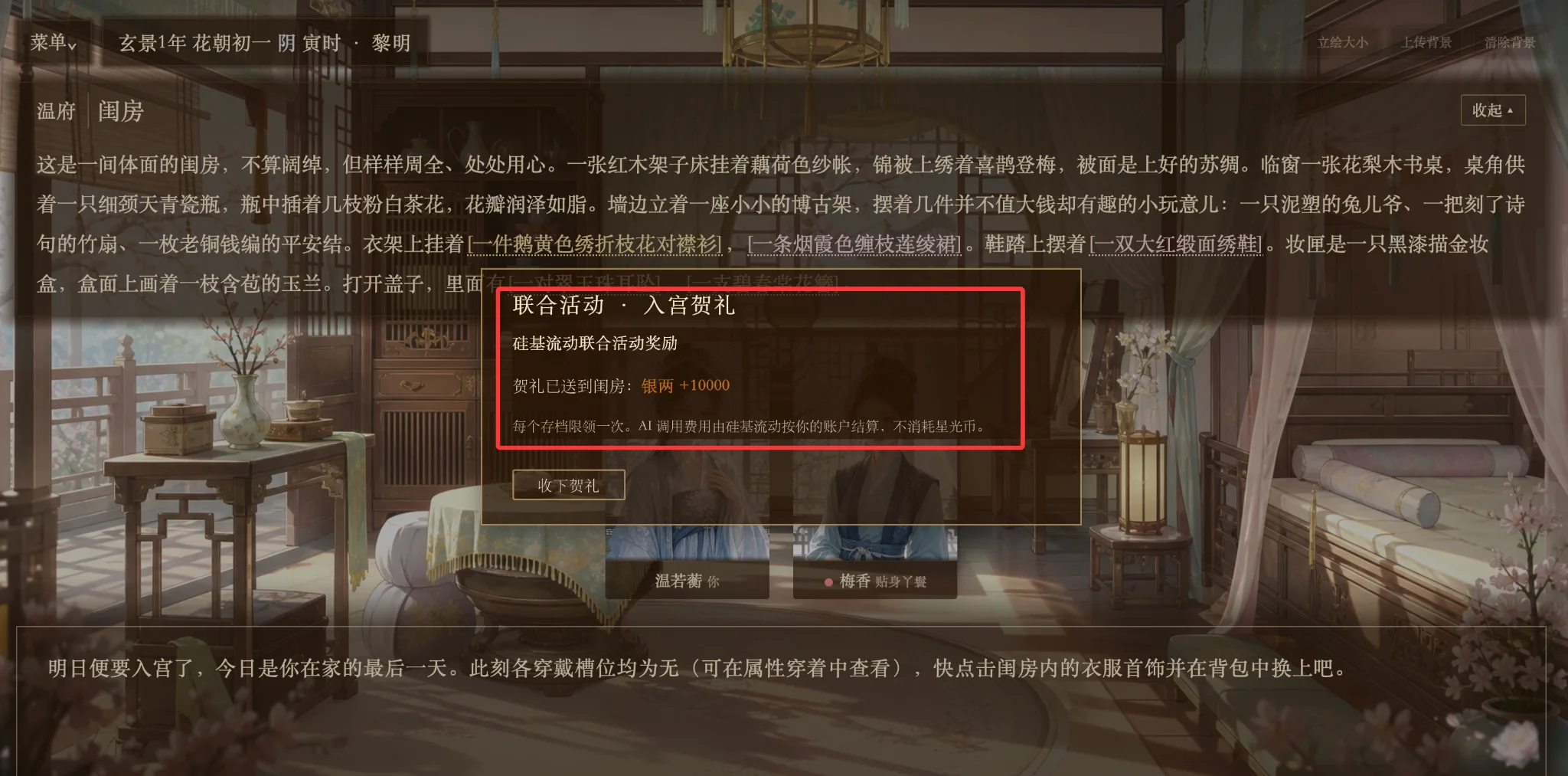
Joint-event popup: +10,000 silver upon entering the chamber
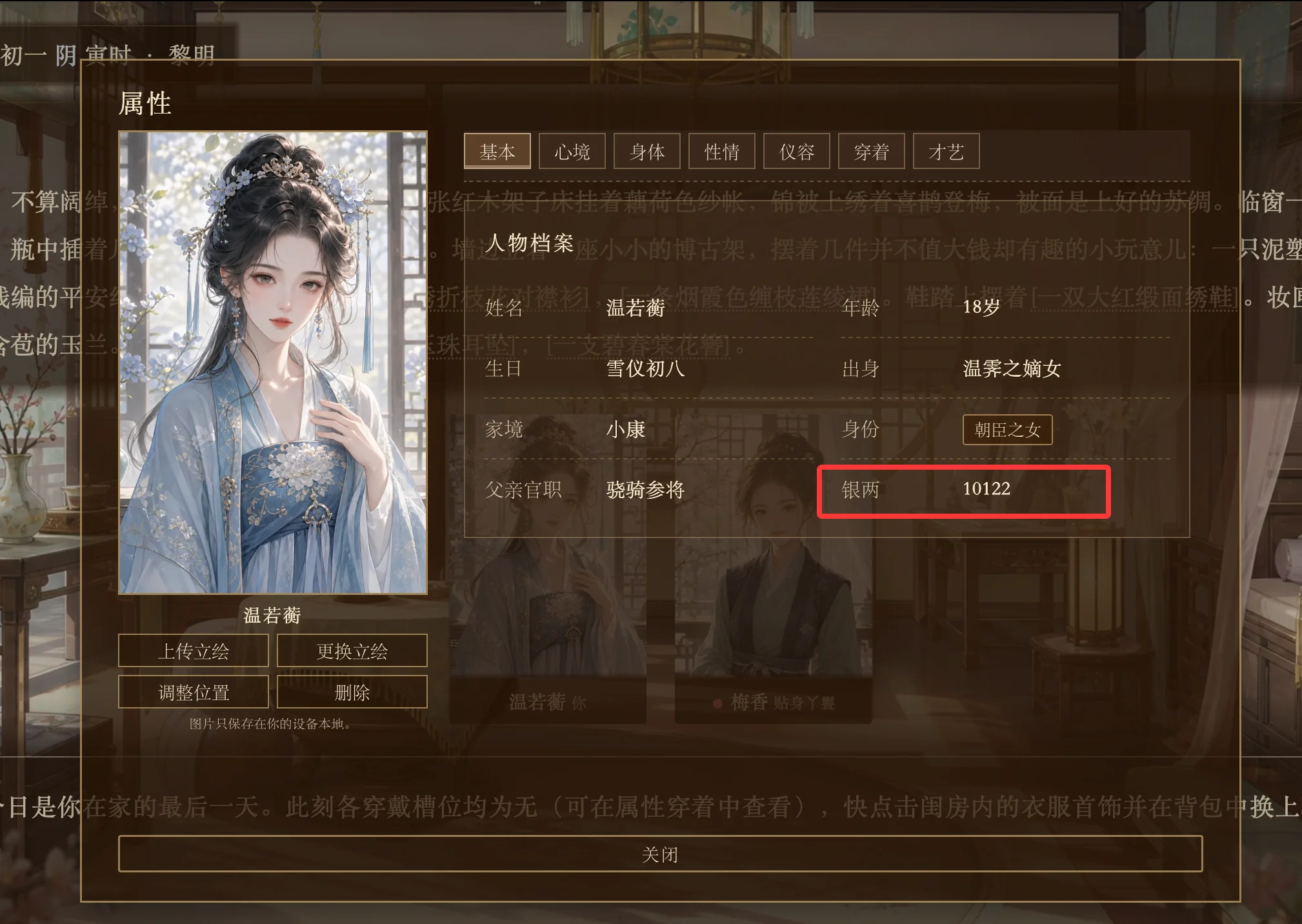
Character attributes: the reward has been added to the character's silver balance
4. Notes
An API Key is a personal credential — never share it in group chats, comment sections, or public screenshots. Model costs for a user-connected API are billed by SiliconFlow based on actual usage and model pricing, separate from the price of the work itself or any in-work packages.
- Website: SiliconFlow
- API Keys: API Keys
- Models: Models